
Bring dataflows into your automation.
Use scoped, revocable API keys for the management surface.
The website brand is now FlowPorts. These screenshots were captured on 2026-10-26 from the released 0.4.1 English interface, which still displays the original FlowPort name, in an isolated OrbStack instance with synthetic data. See the integration guide for the MaxCompute destination introduced in 0.5.13. Addresses and counters are examples; CDC and Dataway forms illustrate configuration without connecting to real services. Select an image for full size. The screenshot manifest records build provenance and file hashes.
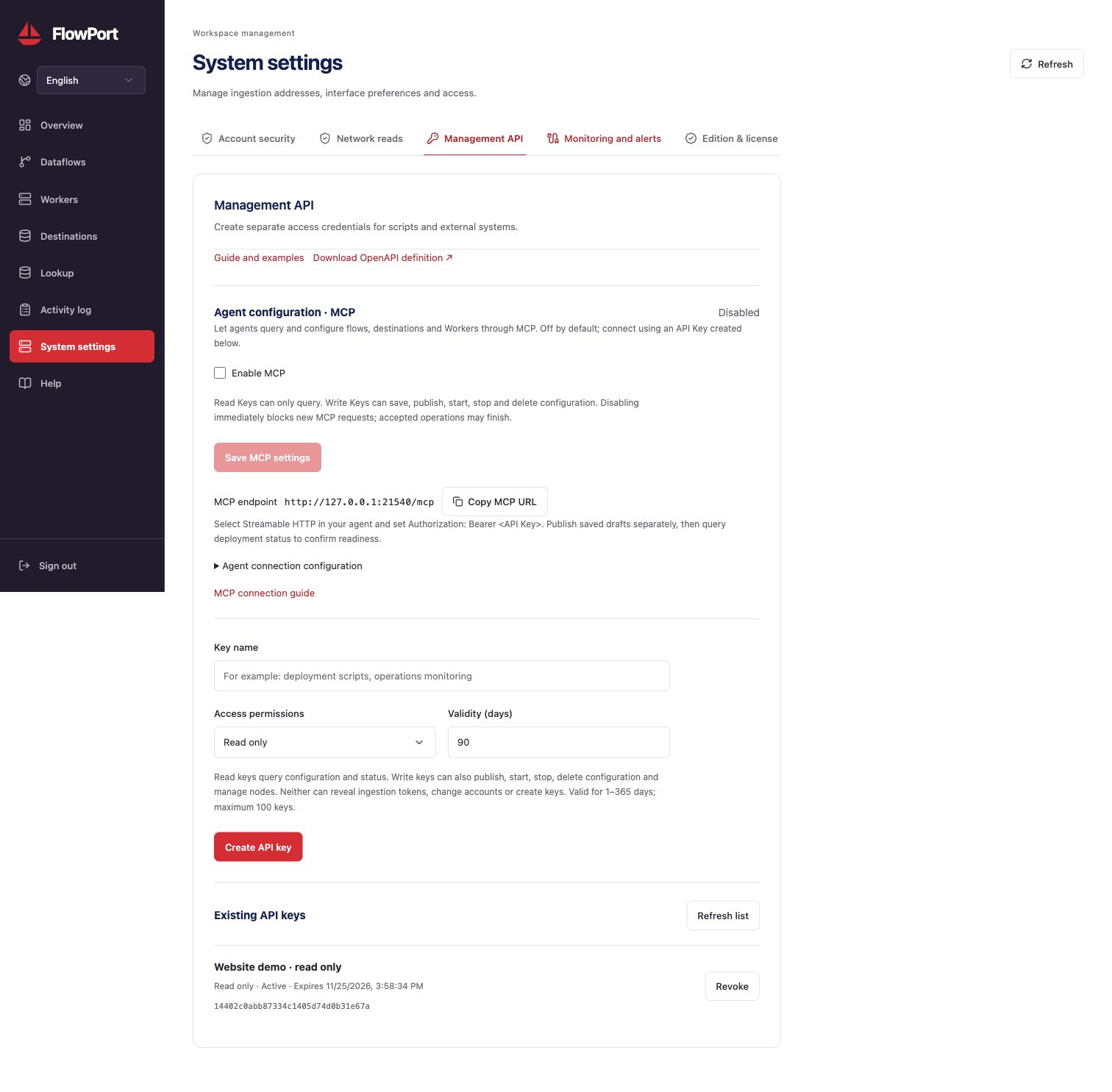
Create credentials
Create an expiring read-only or read-write API key in System settings. The full credential appears only once. Store it in your secret manager; lists show metadata only. Do not put keys in URLs.
Administrator access and queue-head recovery
Worker enrollment credentials, read policy, API Key management, account/session changes, the MCP switch, license activation, ingestion-token access and queue-head recovery require an administrator session. Neither write API Keys nor MCP authorize these operations. Diagnostics require a write Key or administrator session and obey the executing node’s read policy.
An ordered target can block on a configuration or data error at its queue head. First repair and republish the connection. If skipping is necessary, inspect GET /api/v1/flows/{id}/queue-head?worker=WORKER_ID&destination=DESTINATION_ID, then send worker, destination and confirmation with CSRF to POST /api/v1/flows/{id}/queue-head/discard. This releases one target-branch batch and records failure, discard and audit entries, never Sent. It creates an irreversible data gap.
Cluster mode requires worker even for the local Worker. In-flight delivery or changed confirmation returns 409; inspect again. After a timeout, query the head and audit log before acting. Retry bookkeeping and compaction preserve confirmation; changed remaining payload requires a new confirmation. This is an API operation, with no graphical skip button. Exporting raw payload still requires offline queue-head export.
Query and manage
Use Bearer authentication under /api/v1. Read-only keys query resources; read-write keys perform permitted configuration and control actions. Sensitive administrator operations still require a login session.
curl 'https://YOUR_MANAGER/api/v1/flows' \
  -H 'Authorization: Bearer YOUR_API_KEY'
Agent access · MCP
Enable and save MCP in System settings → Management API, then connect a dedicated API key to the manager /mcp endpoint using Streamable HTTP. It is off by default and requires no extra listener or service.
Read-only keys query resources. Read-write keys manage drafts, previews, publication, lifecycle, destinations, Workers and business settings. Sensitive administrator actions still require a login session. Publish separately after saving a draft, then check deployment readiness.
Disabling MCP blocks new requests; accepted operations may finish. Full guidance and client examples ship in the built-in help.
Contracts and runtime state
Download the OpenAPI definition for request and response contracts. Saving configuration, accepting publication and actual Worker readiness are separate stages. Automation should query deployment and installed versions.
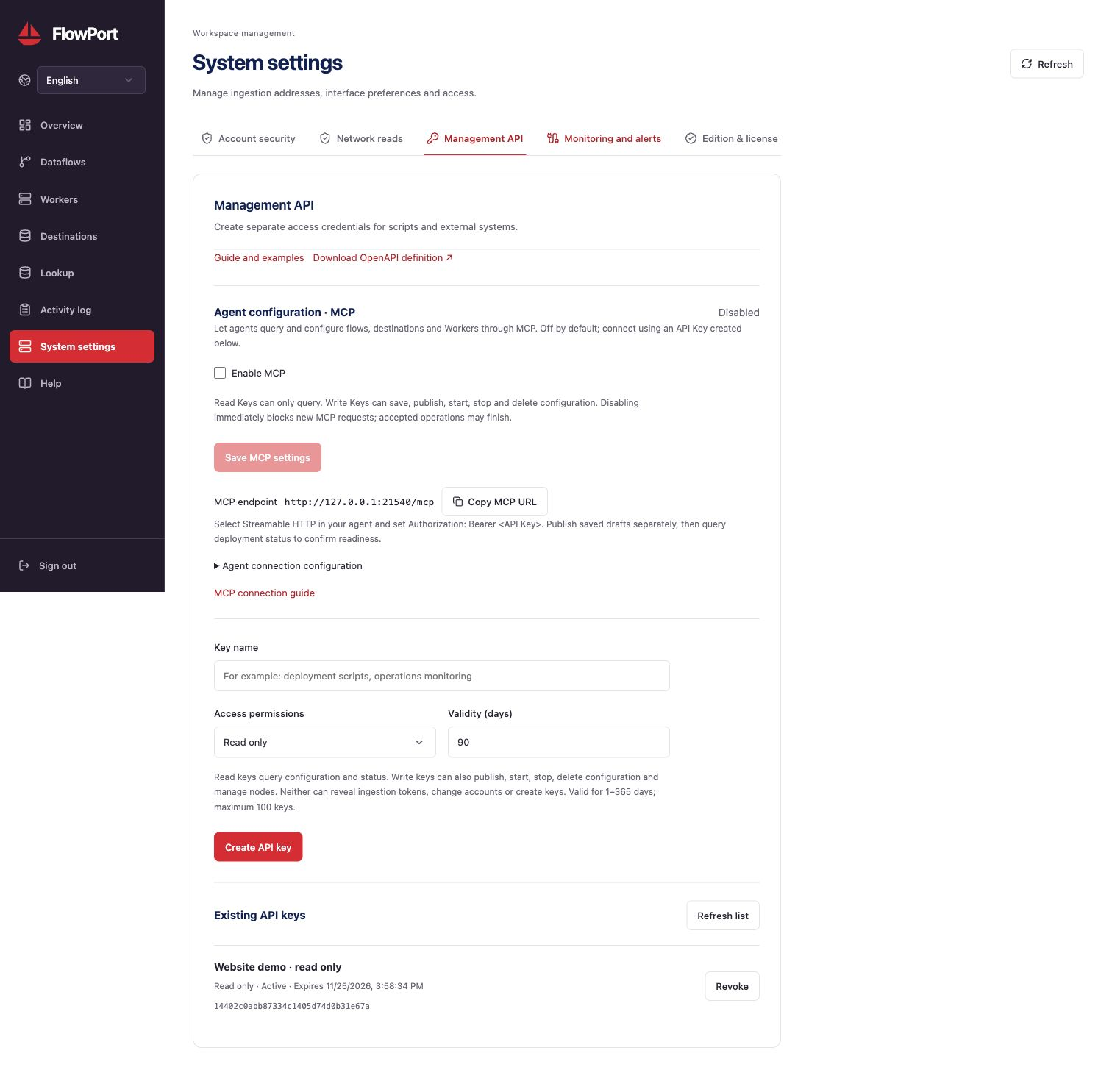
Activity records capture management intent, outcome and actor, without passwords, tokens or business payloads.
The observe API adds samples for relevant, nonremoved Workers: worker_id, process instance, installed version, sample_at (Unix milliseconds), online, healthy, per-flow stats and targets for the installed version. Offline reports retain historical totals, not live rates. targets=null means a missing report; a target absent from a reported array has no confirmed delivery in that version. worker scopes the samples to one node. Top-level sample_at cannot replace individual Worker clocks when calculating fleet rates.
Published dataflow IDs remain reserved after deletion; reusing one with PUT returns 400. New flows use new IDs and revision=0 to avoid inheriting Worker cursors, leases or counters. Unpublished draft IDs can be reused after deletion; stopping/restarting an existing flow retains its progress.
Monitoring and alerts
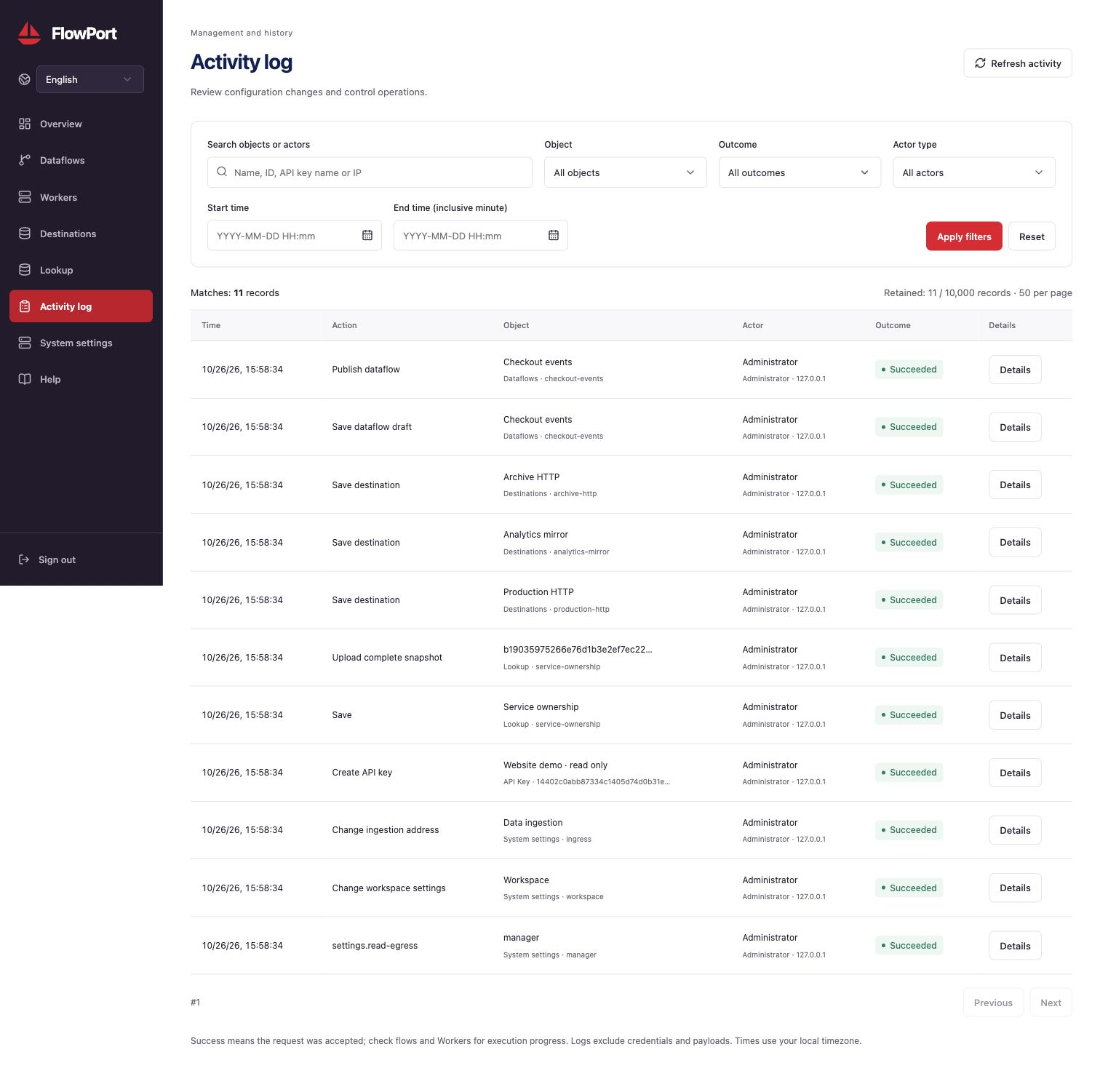
Scrape /metrics only on the management listener. HTTP ingestion listeners, including pure Worker ingestion ports, do not expose it. The manager aggregates Worker reports; consider node connectivity and sample age. Copy settings-page templates into Prometheus and Alertmanager, replace addresses and configure external notifications.
Monitoring checks run from the manager under its read policy; private endpoints require allowed CIDRs. The eight-second check verifies readiness and rule loading without saving addresses or sending notifications. Passing does not prove notification delivery. Verify authenticated endpoints in your monitoring system and rehearse alerts in isolation.
The latest 20 transitions per Worker and flow are persisted; the combined view shows up to 50. Retired destinations do not count as successful recoveries.
Resource and configuration APIs
/api/v1/lookups manages resources, versions, sync, queries and references. Metadata requires read; content, queries and changes require write. MCP exposes corresponding management tools; use REST for large uploads. GET /api/v1/flows/{id}/export?configuration=draft|published requires read. POST /api/v1/flows/import-preview requires write and returns normalized configuration and dependencies without saving or starting a flow. After mapping, use the existing draft-save and publish APIs.
Diagnostics and configuration saves share connection-identity checks. Changing an address, protocol or security configuration requires credentials again instead of forwarding saved masked values. View and copy ingestion tokens in the flow editor and runtime view, with draft and published revisions distinguished. Reading requires an administrator session; API keys and MCP cannot retrieve these tokens.
Error responses
Management API errors default to English text/plain with the existing HTTP status. Send Accept: application/vnd.flowport.error+json to receive a stable code, English message and optional sanitized parameters and nested causes. The workbench translates codes into the selected language. Older Chinese summaries and Workers without codes retain their original messages. Clients matching Chinese error text must migrate to status and codes.
Pipeline preview and publish show safe line and column information plus recognized function, argument-count and type errors. Runtime failures use pipeline_runtime_error with nested safe causes. Startup diagnostics identify TLS and saved-configuration problems; encrypted-data authentication failure asks operators to check both data integrity and key consistency without exposing raw input or credentials.